PROFESSIONAL TOOLS FOR GUEST PHOTO UPLOADS AT EVENTS

Event Photo Sharing Software Features

Guest Photo Uploads

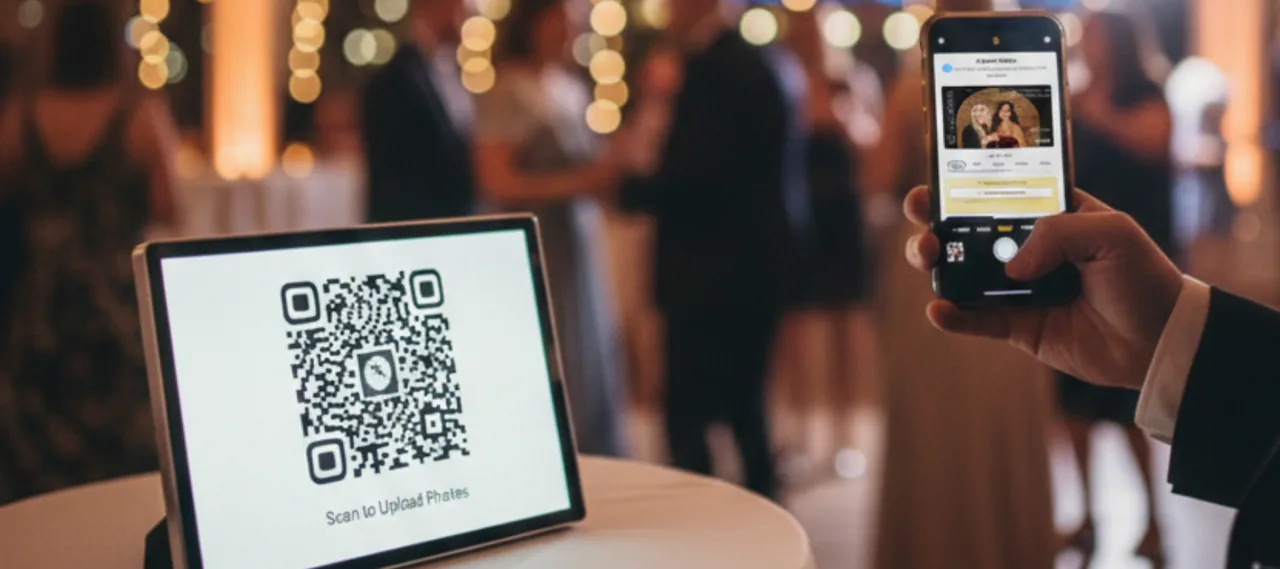
Guest scanning a Capture Snaps QR code to upload an event photo from a phone

Guests upload photos directly from their own phones using a simple QR code. No apps, accounts, or instructions are required, making it quick and accessible for all guests.

Choose moderation, safety checks, guest reprints, filters, animated images and background removal per event.

Why this matters:
Higher participation and more authentic guest content.
See guest upload configuration →

Live Event Slideshow

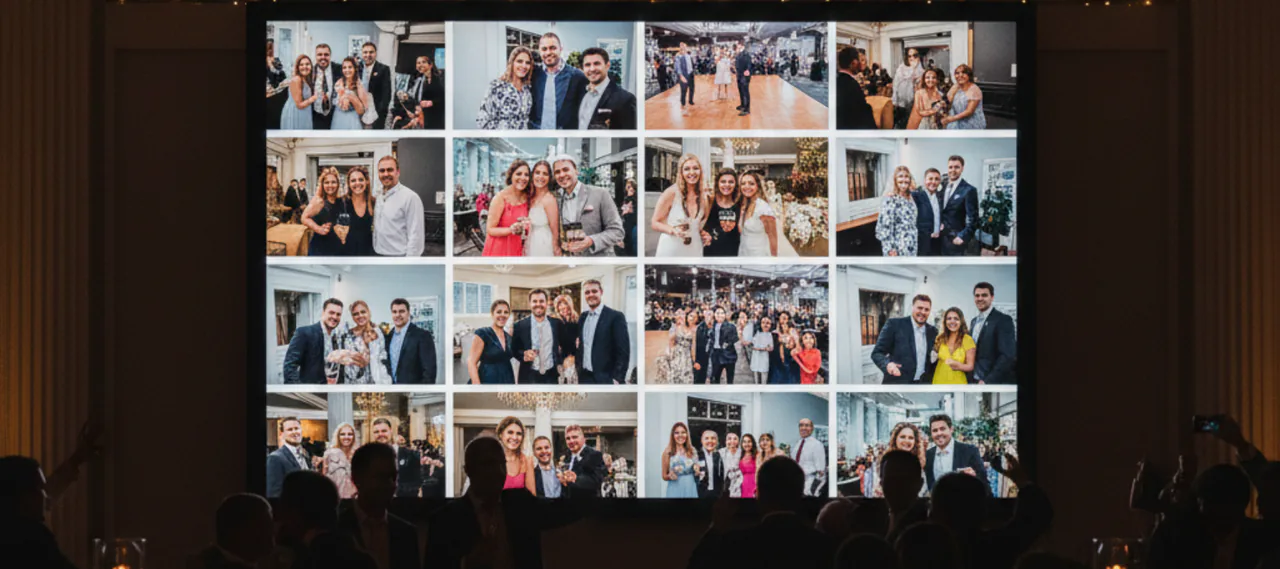
Capture Snaps guest photos shown together in a live event slideshow

Photos appear live during the event on a DJ screen, projector, or venue TV. Images are added in real time as guests upload them, keeping the display fresh and engaging throughout the event.

Multiple display styles are available, including fades, scrolling feeds, and grid layouts.

Why this matters:
Guests stay engaged because they can see their photos immediately.

See slideshow configuration →

Slideshow Layout Options

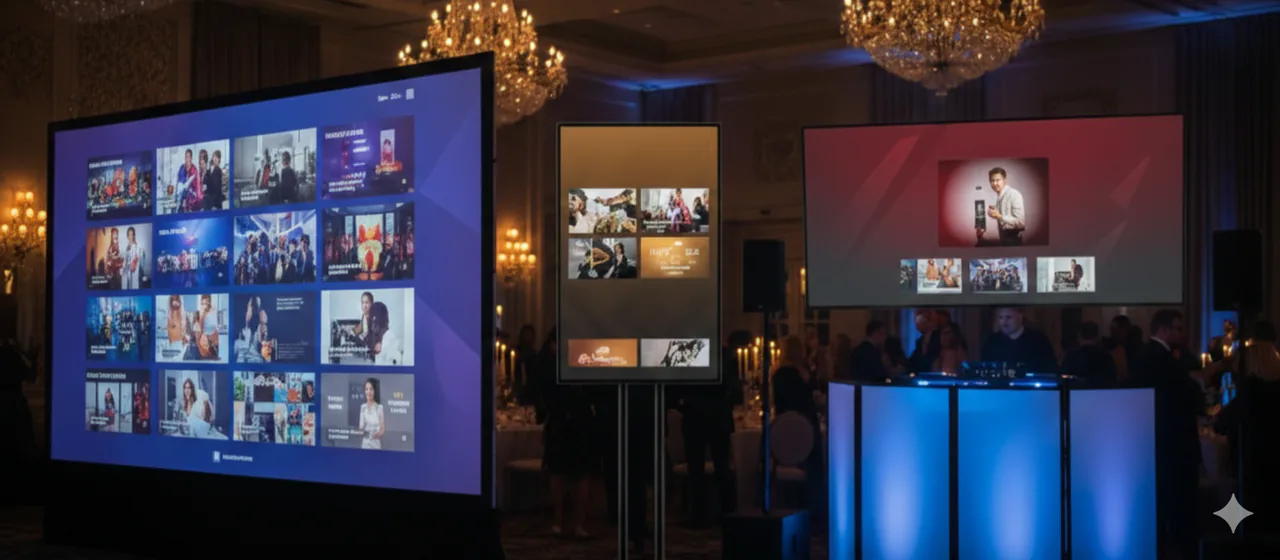
Capture Snaps slideshow displayed across different event screen layouts

Choose from multiple slideshow layouts designed for real event environments.
Layouts adapt to portrait or landscape screens and can be adjusted for different screen sizes.

Background colours, borders, and layout styles can be customised per event.

Why this matters:
Your display looks intentional and professional on any screen.

Full Branding Control

Apply branding across the entire experience, including logos, background graphics, borders, and overlays.
Image positioning is adjustable so photos are not awkwardly cropped or hidden.

Branding can be set for your business or customised per client.

Why this matters:
Ideal for weddings, corporate branding, venues, and sponsors.

TRY GUEST UPLOAD

Image Moderation & Approvals

Control what appears on screen with flexible moderation settings.
Photos can be approved manually, auto-approved, or blocked by user if needed.

Settings can be adjusted per event depending on the environment.

Why this matters:
You stay in full control of on-screen content.

See gallery and moderation controls →

Event-Specific Galleries

Each event runs in its own isolated gallery with a unique QR code.
Approve, block, bulk upload, export and prepare a public web gallery without mixing content between clients.

Why this matters:
Clean, professional client delivery.

See client delivery controls →

Private & Secure by Design

Only guests with the event QR code can upload photos.
Events are isolated and controlled by you.

Why this matters:
Safe for private and corporate events.

Read the Capture Snaps privacy policy →

Works With Your Existing Services

Capture Snaps complements DJs, photo booths, venues, and AV setups.
Use it as an add-on, bundle it into premium packages, or sell it standalone.

Why this matters:
Adds value without disrupting your workflow.

Set up cloud upload destinations →

Flexible Event Printing

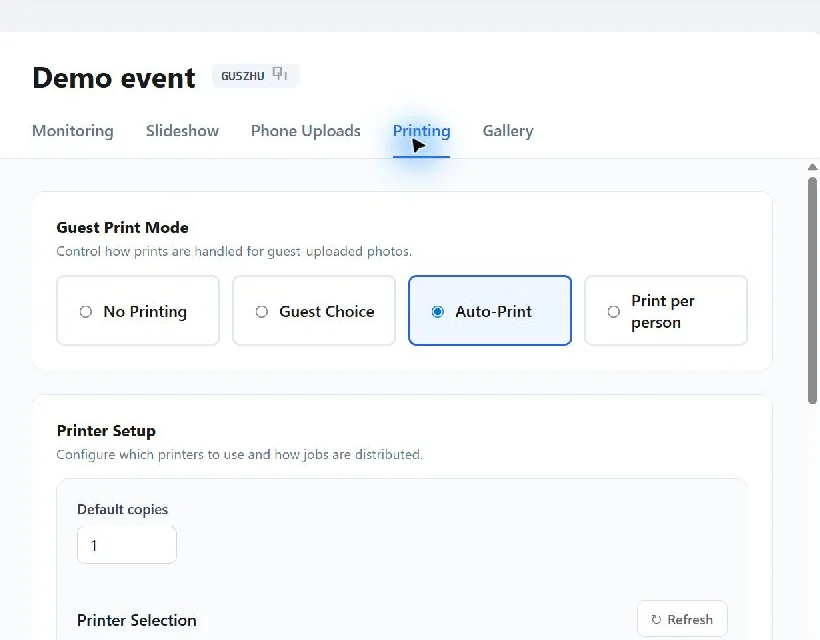
Capture Snaps guest print modes and printer configuration

Choose no printing, guest choice, automatic printing or one print per person for each event.

Set copy counts, select available printers, distribute work between printers and recover failed jobs from the queue.

Why this matters:
Printing follows the package you sold instead of forcing every event into one workflow.

Explore printing and queue management →

Client Delivery & Public Galleries

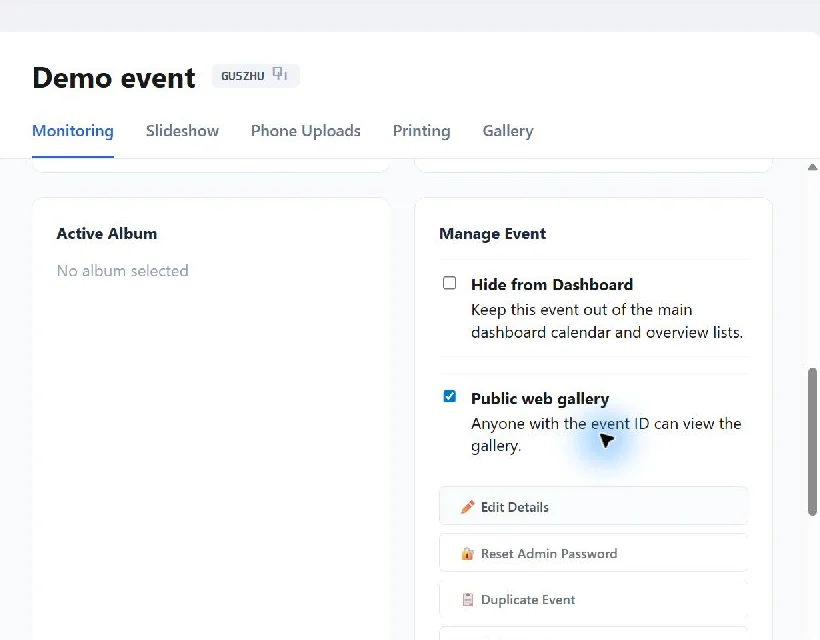
Capture Snaps public web gallery and client delivery controls

Publish a client-facing web gallery and sync original files, processed composites or both to your chosen destination.

Control downloads, sharing, comments, print purchases and visible image metadata before handover.

Why this matters:
The finished experience is ready to deliver without rebuilding the gallery after the event.

See the client delivery workflow →

Scheduled Event Automation

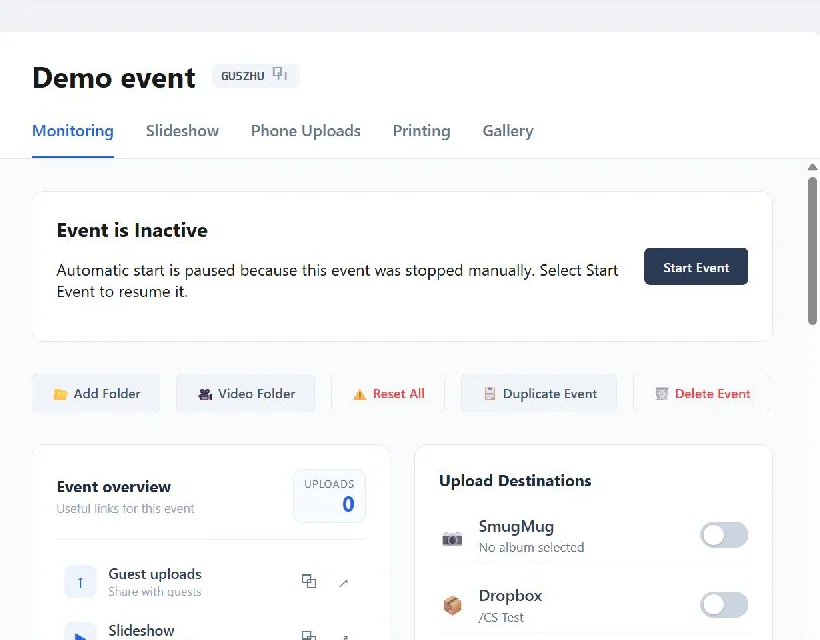
Capture Snaps event automation and management controls

Use event dates and timezone to prepare an automatic start and stop workflow, with a clear manual pause when an operator stops an event.

Hide test or long-running events from the main dashboard while keeping their configuration available.

Why this matters:
Events can run with less intervention while still giving the operator a safe override.

Learn how event automation works →

Multi-Device Administration

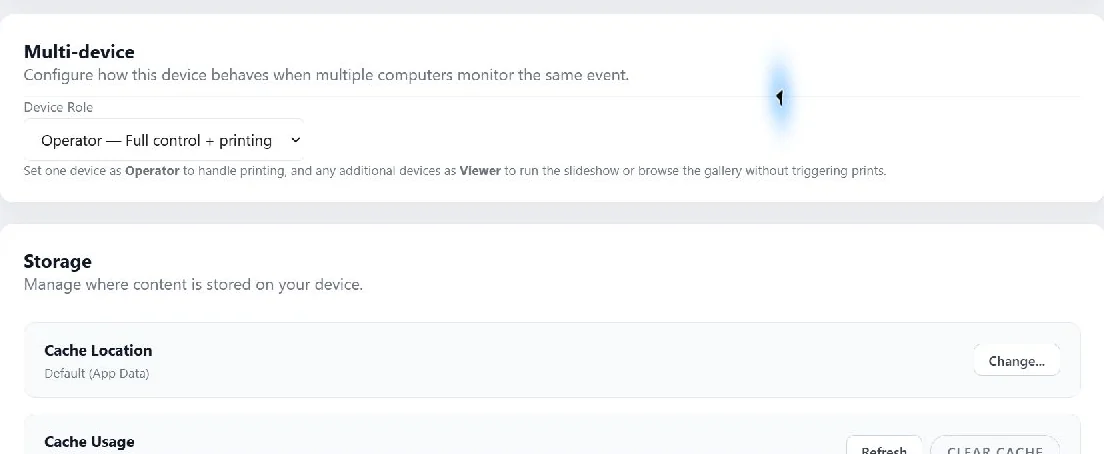
Capture Snaps multi-device roles and local storage administration

Assign one computer as the Operator for full control and printing, then use Viewer devices for slideshows or gallery access without duplicate print handling.

Protect owner controls with a four-digit code and manage startup behaviour, local cache and application updates.

Why this matters:
Give staff or clients the access they need without handing over every control.

See application administration →

Upload Only Mode

Watch image or video folders and send new media to connected destinations without creating an event.

Track queued, uploading, completed and failed items from one activity view.

Why this matters:
A lightweight uploader is available when you do not need guest links, printing, moderation or a slideshow.

See how Upload Only Mode works →

A Clear 60-Day Data Lifecycle

Managed event records and associated managed cloud media are automatically deleted 60 days after the event end date.

Operators can delete earlier, while exported and third-party copies remain under their own controls.

Why this matters:
Every event has a predictable delivery and deletion window instead of becoming an indefinite archive.

Read the 60-day retention guide →
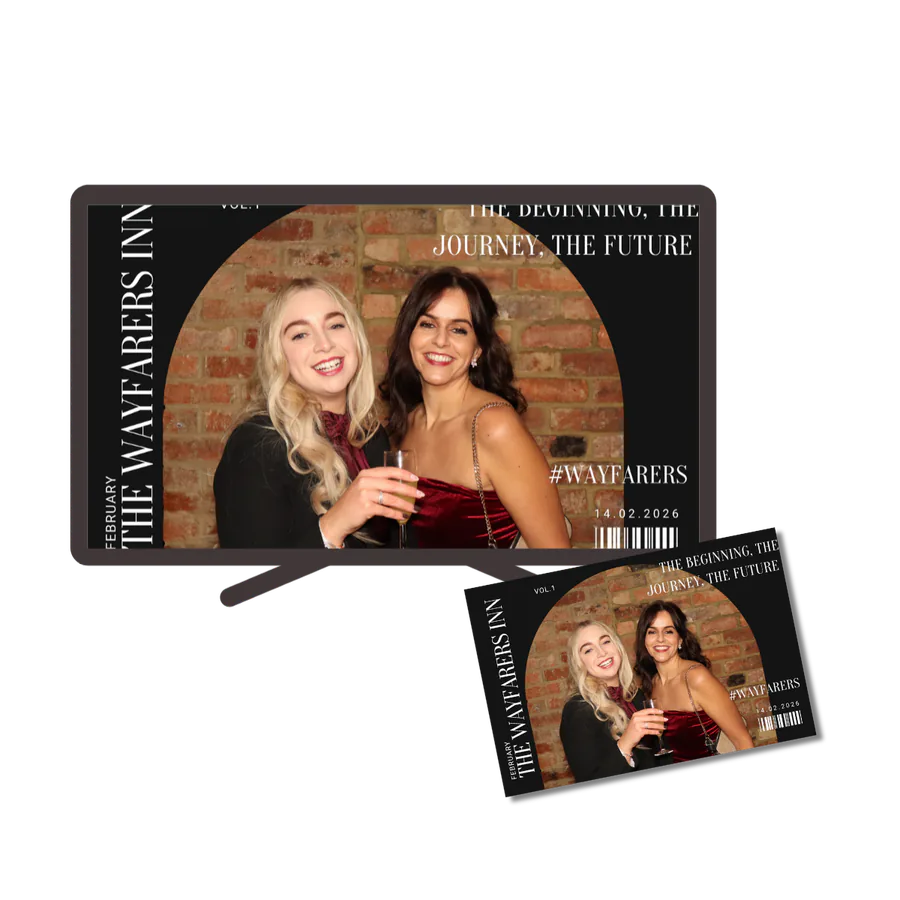
Branded guest photo displayed on an event screen and printed as a keepsake

Common ways event professionals use Capture Snaps

  • Guest phone uploads with a live DJ screen
  • Venue screens displaying guest photos during events
  • Add-on alongside photo booths
  • Standalone guest photo wall
  • Corporate events with branded uploads
  • Unattended events with scheduled start and stop
  • Folder-to-gallery delivery using Upload Only Mode
DOWNLOAD TRIAL

FAQ

Is it easy for guests to use?

Yes. Guests scan a QR code and upload photos directly from their phones — no apps or logins required.

Can I control which photos appear on the live display?

Yes. You can approve photos before they appear, auto-approve uploads, or block individual users. Moderation settings can be adjusted per event.

Do guests need to install an app?

No. Guests upload photos by scanning a QR code and using their phone’s web browser. No apps, accounts, or logins are required.

Can I customise the branding per event?

Yes. Logos, backgrounds, borders, and overlays can be customised for each event.

Can different computers run different parts of the event?

Yes. Assign one device as the Operator for full control and printing, then use Viewer devices for slideshows or gallery access.

How long is event data retained?

Managed event records and associated managed cloud media are automatically deleted 60 days after the event end date. You can delete them earlier or export anything you need to keep.

Ready to see it in action?

Try the guest experience or download Capture Snaps to explore the full setup.

DOWNLOAD TRIAL