Using the Dashboard
Last reviewed: 18 August 2026 · Documentation version: 1.0 · Applies to: Current Capture Snaps release
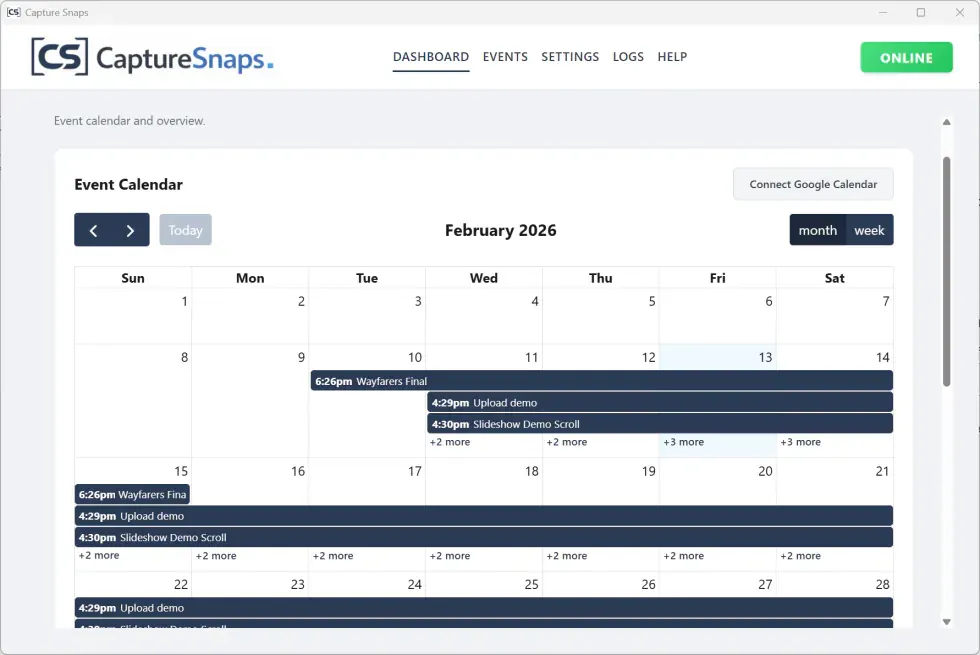
The dashboard is the starting point for preparing and opening events. It keeps upcoming work together and gives you access to event settings and live status.
Using the dashboard
Use the dashboard to:
- Create and open events
- Check event dates and identifying codes
- Review event configuration
- Open monitoring and moderation tools
- Confirm upload and delivery status
Before an event, open its dashboard entry and verify the date, guest upload link, watch folders and output destinations.
The event end date also starts the 60-day retention period. Complete client delivery and export any required files before the event reaches automatic deletion.
Still need help?
Email james@capturesnaps.com and we’ll help you get sorted.